# Twenty Chrome Extension.
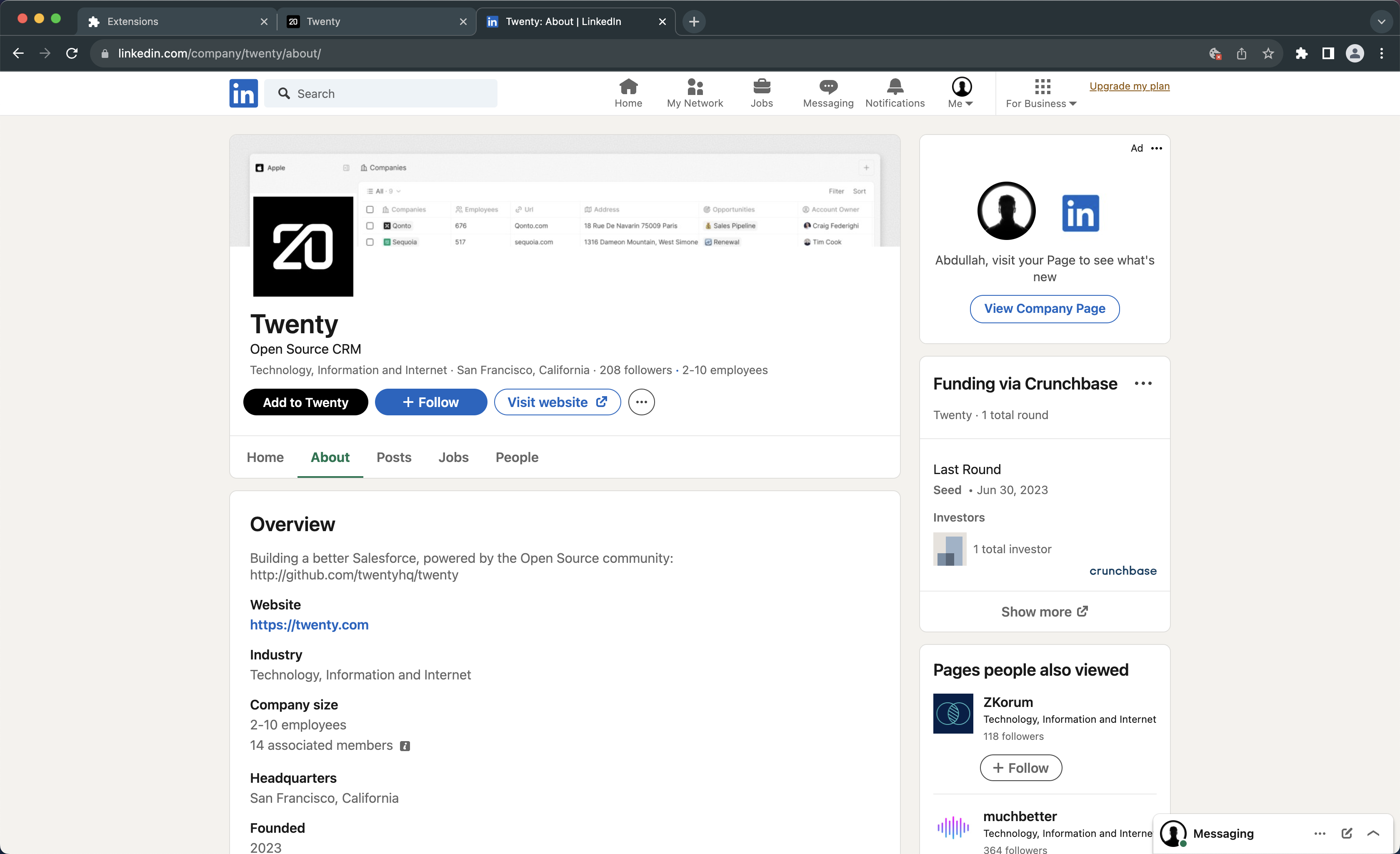
This extension allows you to save `company` and `people` information to your twenty workspace directly from LinkedIn.
To install the extension in development mode with hmr (hot module reload), follow these steps.
- STEP 1: Clone the repository and run `yarn install` in the root directory.
- STEP 2: Once the dependencies installation succeeds, create a file with env variables by executing the following command in the root directory.
```
cp ./packages/twenty-chrome-extension/.env.example ./packages/twenty-chrome-extension/.env
```
- STEP 3: Now, execute the following command in the root directory to start up the development server on Port 3002. This will create a `dist` folder in `twenty-chrome-extension`.
```
yarn nx start twenty-chrome-extension
```
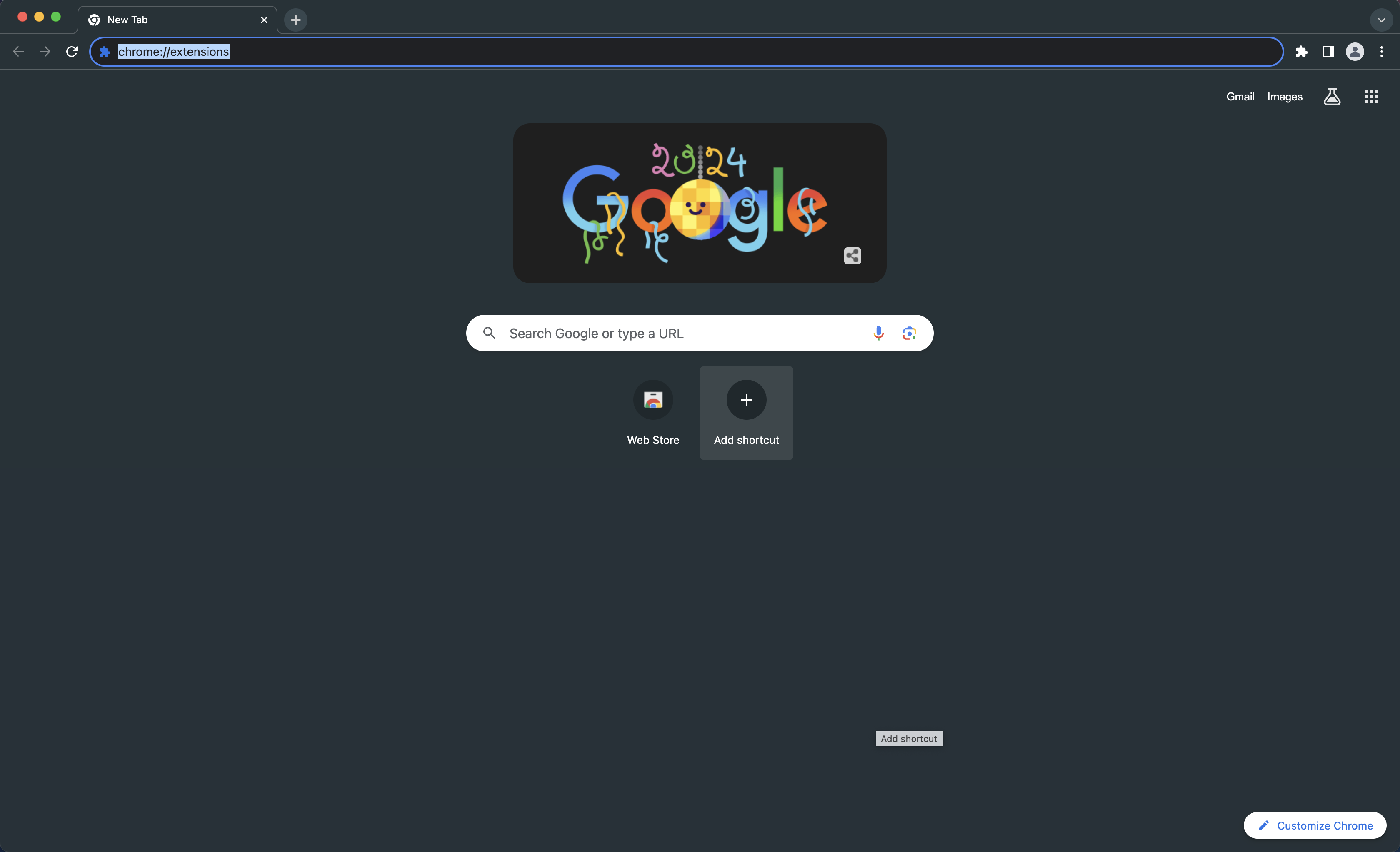
- STEP 4: Open Google Chrome and head to the extensions page by typing `chrome://extensions` in the address bar.
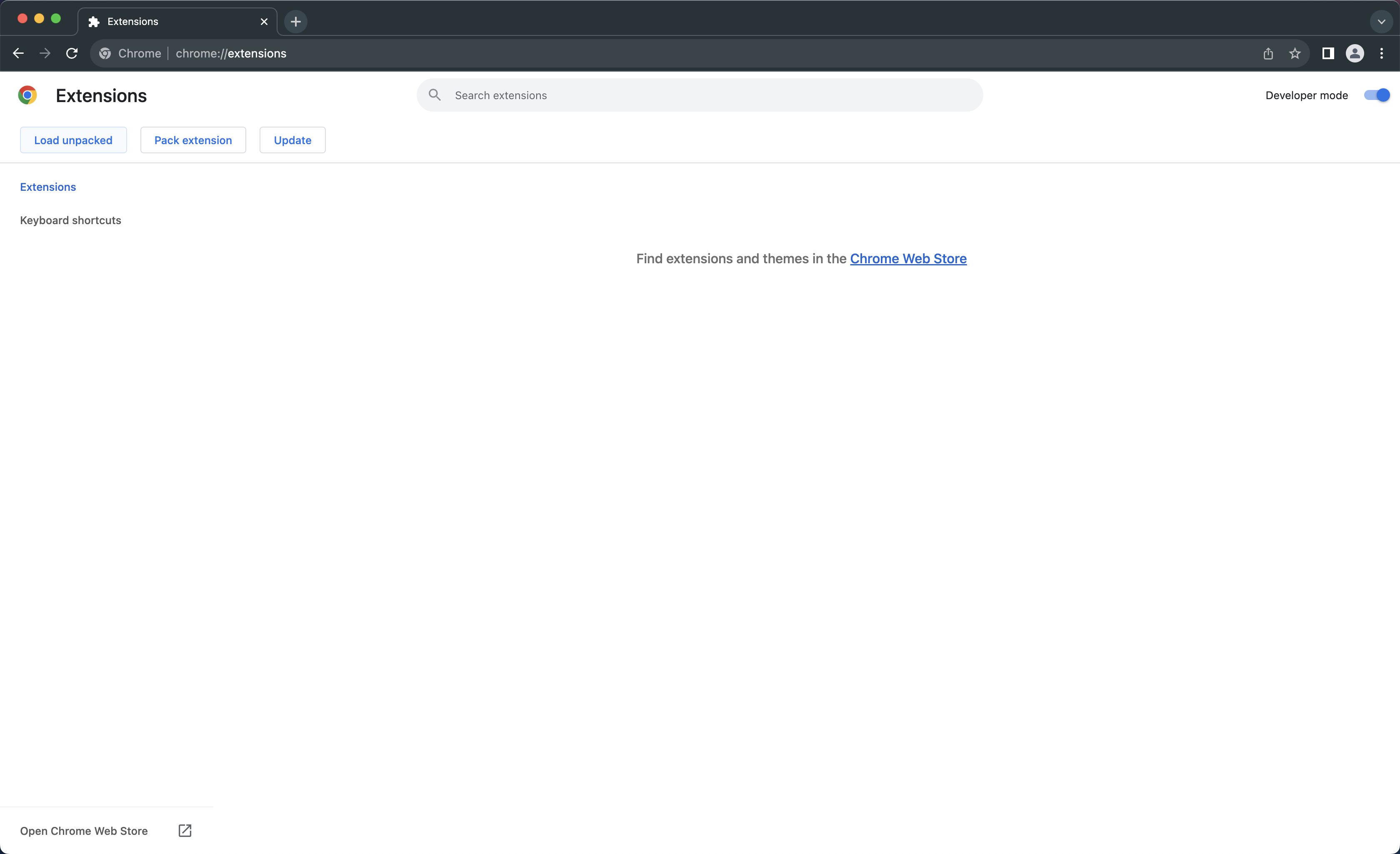
- STEP 5: Turn on the `Developer mode` from the top-right corner and click `Load unpacked`.
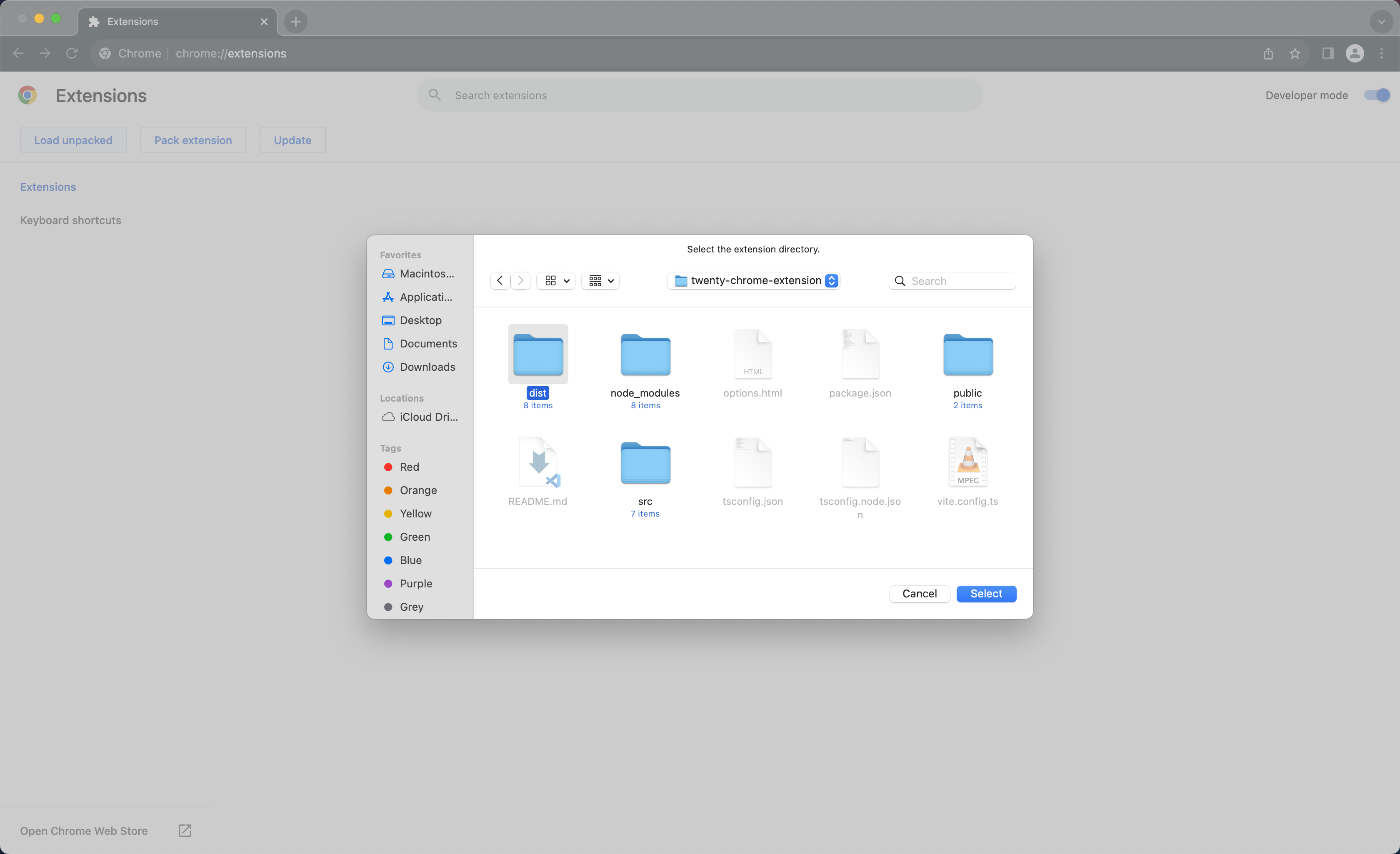
- STEP 6: Select the `dist` folder from `twenty-chrome-extension`.
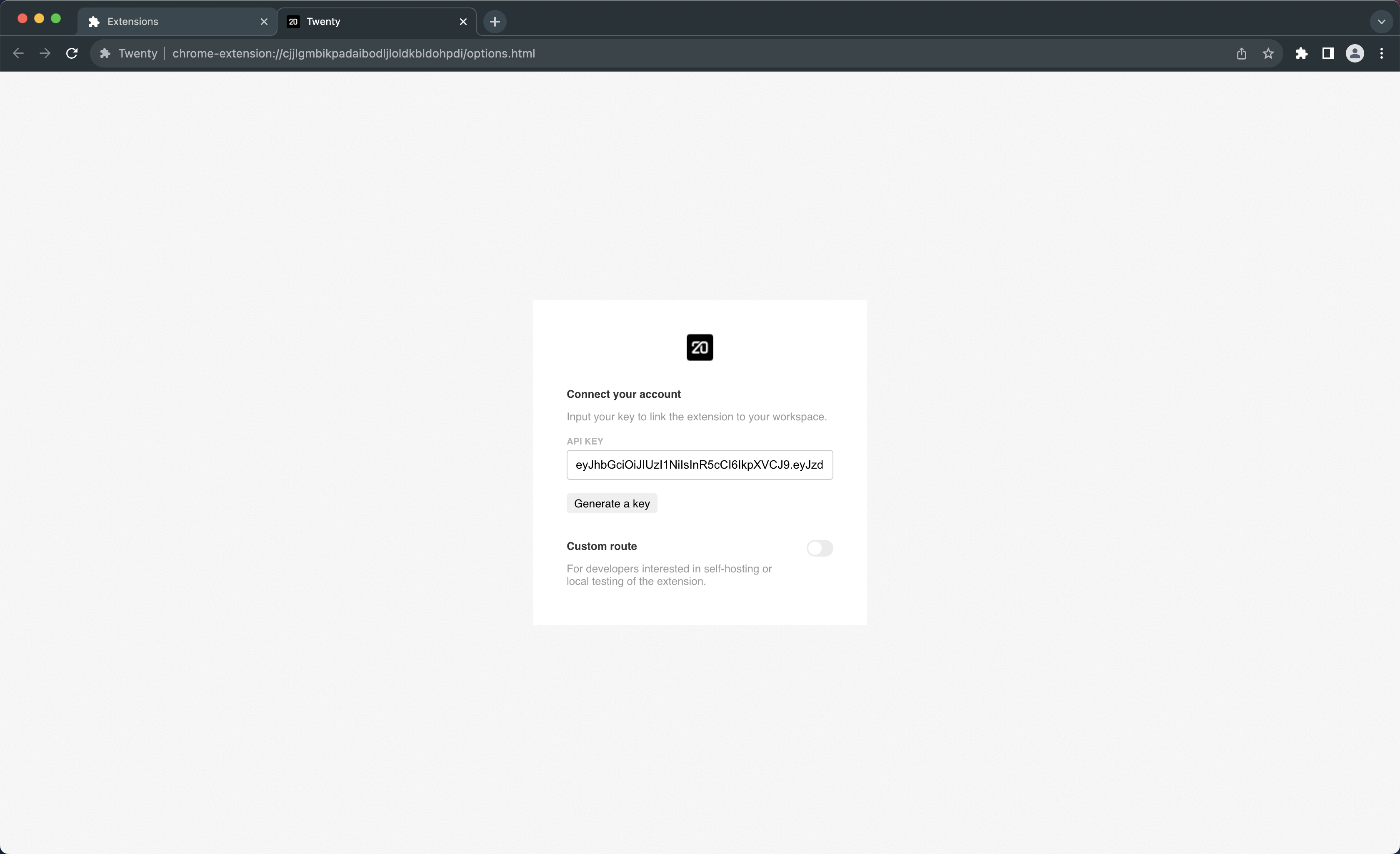
- STEP 7: This opens up the `options` page, where you must enter your API key.
- STEP 8: Reload any LinkedIn page that you opened before installing the extension for seamless experience.
- STEP 9: Visit any individual or company profile on LinkedIn and click the `Add to Twenty` button to test.
To install the extension in production mode without hmr (hot module reload), replace the command in STEP THREE with `yarn nx build twenty-chrome-extension`.