 Lucas Bordeau
01b40e173b
Lucas Bordeau
01b40e173b
This PR refactors all the dropdown content wrapping mechanism across the
entire app.

It refactors the internals of the `Dropdown` component and introduces a
new generic `DropdownContent` component that is a generic wrapper used
for each dropdown.

## Why this PR ?

Because we’ve been experiencing continuous regressions for months on the
dropdown content width, with weird scrolling behaviors in some and not
in others, and every time a solution was found for a particular set of
dropdowns, it broke another set of dropdowns, which wasn’t noticed
because doing the QA of all dropdowns of the app is very difficult for
fixing an apparently small bug.

## Don’t we already have a `DropdownMenu` component ?

Indeed, this new `DropdownContent` is almost like `DropdownMenu` and
took inspiration from it but `DropdownContent` acts as a generic content
container that sets the width of the whole dropdown, whether we have a
menu or not.

## Why don’t we put it directly in Dropdown internals ?

Because the Dropdown component is using a complex logic with floating-ui
middleware to compute its position and size, and for this logic to work
correctly, it cannot be responsible for the “wanted” width of its
content, because the children components, which the dropdown is not
aware of, can request different widths after the dropdown has been
mounted.

A good example with multiple use cases inside the same dropdown can be
found in `AdvancedFilterDropdownFilterInput`

Thus, it is the responsibility of the content of the dropdown to
determine the width it wants to have.

## What is the difference with DropdownMenuItemsContainer ?

We can have multiple `DropdownMenuItemsContainer` in a dropdown,
alongside other components like `DropdownMenuSeparator` or
`DropdownMenuHeader`, and each of those components behaves differently
regarding to its width, paddings, etc. Therefore it is logical that the
`DropdownMenuItemsContainer` cannot be responsible for the whole
dropdown content width, and trying to do so has been the cause of many
regressions for months.

Now `DropdownMenuItemsContainer` is taking a width of `auto` by default,
which is the best to adapt to a parent which has a defined width.

## How do I set the width of my dropdown now ?

By passing a pixel width to the props `widthInPixels` of
`DropdownContent`, which only accepts numbers to avoid any confusion
with `auto` , `100%` or `160px` and other specific width variables.

The `dropdownWidth` props has been removed from `<Dropdown>` to avoid
any confusion.

Also the `DropdownMenuItemsContainer` is now using `auto` as its default
width to fill the available space inside `DropdownContent` .

It is highly recommended to use the enum `GenericDropdownContentWidt` to
define your width.

## Where to use this new `DropdownContent` component ?

There are two main use cases.

If the dropdown content is defined directly inline in the Dropdown
props, then it is recommended to use it here too.

On the other hand if the dropdown content is abstracted in another
component, it’s recommended to use this new component alongside the
others components like `DropdownMenuItemsContainer`.

A good rule of thumb is to place `DropdownContent` where
`DropdownMenuItemsContainer`, `DropdownMenuSearchInput`, etc. are
placed.

## What if I have a custom width ?

Just define a constant like `ICON_PICKER_DROPDOWN_CONTENT_WIDTH` and use
it with the props `widthInPixels` .

Otherwise there’s a `GenericDropdownContentWidth` enum. The default
value being `GenericDropdownContentWidth.Medium` (or 200px), which most
dropdowns use.

## QA


Component | Comment
-- | --
AttachmentDropdown | Fixed overflowing (thanks to DropdownContent)
RecordIndexActionMenuDropdown |
CommandMenuActionMenuDropdown |
SupportDropdown | Fixed overflowing (thanks to DropdownContent)
MessageThreadSubscribersDropdownButton | Removed because unused
FavoriteFolderNavigationDrawerItemDropdown | Set width at Narrow
FavoriteFolderPicker |
ViewPickerOptionDropdown |
PageFavoriteFolderDropdown | Removed because unused
AdvancedFilterAddFilterRuleSelect |
AdvancedFilterAddFilterRuleSelect |
AdvancedFilterFieldSelectMenu |
AdvancedFilterRecordFilterGroupOptionsDropdown |
AdvancedFilterRecordFilterOperanceSelect | Set width at Narrow
AdvancedFilterLogicalOperatorDropdown | Set width at Narrow
AdvancedFilterRecordFilterOptionsDropdown |
AdvancedFilterRootRecordFilterGroup | Fixed broken horizontal scrolling
behavior
AdvancedFilterSubFieldSelectMenu |
AdvancedFilterDropdownFilterInput |
ObjectFilterDropdownBooleanSelect |
ObjectFilterDropdownCountrySelect | Fixed broken menu items container
ObjectFilterDropdownCurrencySelect | Set width to Large
ObjectFilterDropdownFilterInput |
ObjectFilterDropdownOperandDropdown | Fixed width that was not fixed
ObjectFilterDropdownFilterInput | Fixed width that wasn’t the same for
EditableFilterChip
ObjectFilterDropdownOperandSelect | Refactored
ObjectOptionsDropdownRecordGroupFieldsContent | Added missing separator
ObjectOptionDropdownFieldsContent |
ObjectOptionsDropdownHiddenFieldsContent |
ObjectOptionsDropdownLayoutContent |
ObjectOptionsDropdownLayoutOpenInContent |
ObjectOptionsDropdownMenuContent |
ObjectOptionsDropdownRecordGroupFieldsContent |
ObjectOptionsDropdownRecordGroupsContent |
ObjectOptionsDropdownRecordGroupSortContent |
ObjectOptionsDropdownHiddenRecordGroupsContent | Removed unnecessary
DropdownMenuItemsContainer
RecordBoardColumnHeaderAggregateDropdown | Fixed overflowing (thanks to
DropdownContent)
RecordBoardColumnHeaderAggregateDropdownFieldsContent | Fixed
overflowing (thanks to DropdownContent)
RecordBoardColumnHeaderAggregateDropdownMenuContent | Fixed overflowing
(thanks to DropdownContent)
RecordBoardColumnHeaderAggregateDropdownOptionsContent | Fixed
overflowing (thanks to DropdownContent)
MultiItemFieldInput | Fixed overflowing (thanks to DropdownContent)
MultiItemFieldMenuItem |
MultipleRecordPicker | Fixed overflowing (thanks to DropdownContent)
SingleRecordPicker |
RecordTableColumnAggregateDropdownSubmenuContent |
RecordTableColumnAggregateFooterMenuContent |
RecordTableColumnHeadDropdownMenu | Fixed overflowing (thanks to
DropdownContent)
RecordTableHeaderPlusButtonContent |
MultipleSelectDropdown | Broken width fixed
ObjectSortDropdownButton |
RecordDetailRelationRecordsListItem |
ConfigVariableDatabaseInput |
ConfigVariableOptionsDropdownContent |
SettingsObjectFieldActiveActionDropdown | Fixed overflowing (thanks to
DropdownContent)
SettingsObjectFieldDisabledActionDropdown | Set width at Narrow
SettingsObjectSummaryCard | Removed because unused
SettingsDataModelFieldSelectFormOptionRow |
SettingsDataModelNewFieldBreadcrumbDropdown |
SettingsObjectInactiveMenuDropDown |
SettingsRoleAssignementWorkspaceMemberPickerDropdown |
SettingsRolePermissionObjectLevelObjectPickerDropdownContent |
SettingsSecurityApprovedAccessDomainRowDropdownMenu | Couldn’t test
SettingsSecuritySSORowDropdownMenu | Couldn’t test
SettingsAccountsRowDropdownMenu | Fixed overflowing (thanks to
DropdownContent)
SettingsIntegrationDatabaseConnectionSummaryCard | Couldn’t test
SettingsServerlessFunctionTablEnvironmentVariableTableRow | Deactivated
scope
MatchColumnSelectFieldSelectDropdownContent | Removed now unnecessary
width on DropdownMenuItemsContainer
MatchColumnSelectSubFieldSelectDropdownContent |
SubMatchingSelectInput |
CurrencyPickerDropdownSelect |
IconPicker | Fixed overflowing (thanks to DropdownContent)
PhoneCountryPickerDropdownSelect |
Select | Refactored to drilldown wanted width of content, in this case
it’s intended
ExpandedListDropdown |
ShowPageAddButton | Removed because unused
MultiWorkspaceDropdownDefaultComponent |
MultiWorkspaceDropdownThemesComponent |
MultiWorkspaceDropdownWorkspacesListComponent |
AdvancedFilterDropdownButton |
EditableFilterChip |
EditableFilterDropdownButton |
UpdateViewButtonGroup |
ViewBarFilterDropdown |
ViewBarFilterDropdownFieldSelectMenu |
ViewPickerContentCreateMode |
ViewPickerContentEditMode |
ViewPickerListContent |
WorkflowEditTriggerDatabaseEventForm |
WorkflowVariablesDropdownFieldItems |
WorkflowVariablesDropdownObjectItems |
WorkflowVariablesDropdownWorkflowStepItems |
CommandMenuContextChipGroups |
RecordBoardColumnDropdownMenu |
MultiSelectInput |
SelectInput |
CustomSlashMenu |
DropdownMenu | Removed and replaced by DropdownContent
OverlayContainer and around |


<!-- notionvc: 1e23bdb8-2dda-4f8d-a64d-ecc829a768a2 -->

## Miscellaneous

Side notes :

- The `Select` component is now wrapping the `DropdownContent` because
it computes a dynamic width.
- The advanced filter dropdown has been fixed, it was broken when
resizing the window horizontally, we couldn’t scroll. This specific edge
case was taken into account when refactoring the whole dropdown content
system
- As discussed with Nitin, data-select-disable will probably be removed
entirely, so I let it as is, because right now it is not used by the
refactored d&d selection.
- Duplicate separators under DropdownMenuHeader have been removed.

Fixes : https://github.com/twentyhq/twenty/issues/12327
Fixes : https://github.com/twentyhq/core-team-issues/issues/951

The #1 Open-Source CRM
🌐 Website · 📚 Documentation ·  Roadmap ·
  Discord ·
  Figma
Figma
Installation
See:
🚀 Self-hosting
🖥️ Local Setup
Does the world need another CRM?
We built Twenty for three reasons:
CRMs are too expensive, and users are trapped. Companies use locked-in customer data to hike prices. It shouldn't be that way.
A fresh start is required to build a better experience. We can learn from past mistakes and craft a cohesive experience inspired by new UX patterns from tools like Notion, Airtable or Linear.
We believe in Open-source and community. Hundreds of developers are already building Twenty together. Once we have plugin capabilities, a whole ecosystem will grow around it.
What You Can Do With Twenty
We're currently developing Twenty's beta version.
Please feel free to flag any specific needs you have by creating an issue.
Below are a few features we have implemented to date:
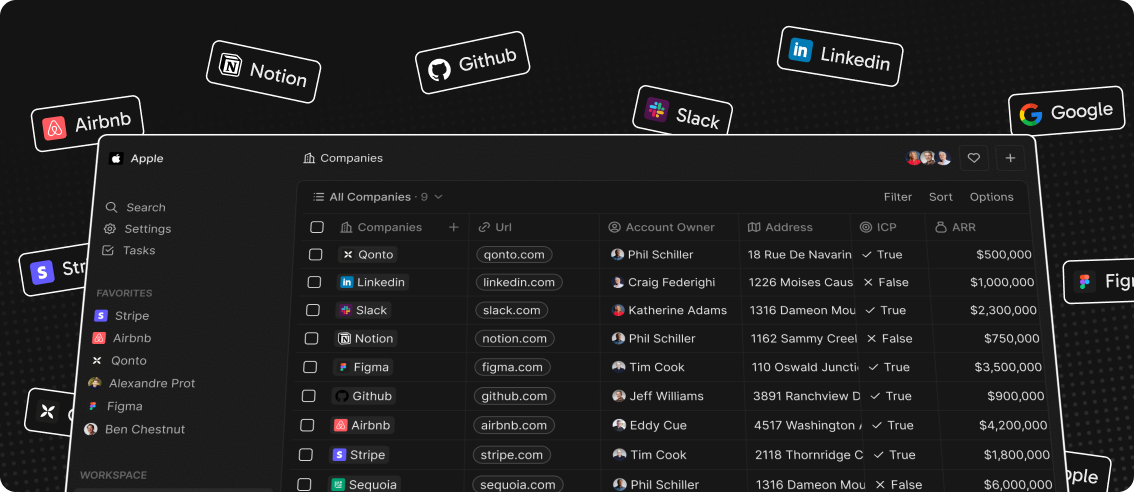
- Add, filter, sort, edit, and track customers
- Create one or several opportunities for each company
- See rich notes tasks displayed in a timeline
- Create tasks on records
- Navigate quickly through the app using keyboard shortcuts and search
Add, filter, sort, edit, and track customers:

Create one or several opportunities for each company:

Track deals effortlessly with the email integration:

Tailor your data model to meet business needs:

See rich notes displayed in a timeline:

Create tasks on records

Navigate quickly through the app using keyboard shortcuts and search:

Connect your CRM to all your tools through our APIs and Webhooks.

Stack
- TypeScript
- Nx
- NestJS, with BullMQ, PostgreSQL, Redis
- React, with Recoil, Emotion and Lingui
Thanks




Thanks to these amazing services that we use and recommend for UI testing (Chromatic), code review (Greptile), catching bugs (Sentry) and translating (Crowdin).
Join the Community
- Star the repo
- Subscribe to releases (watch -> custom -> releases)
- Follow us on Twitter or LinkedIn
- Join our Discord
- Improve translations on Crowdin
- Contributions are, of course, most welcome!