 Baptiste Devessier
1543c900ae
Baptiste Devessier
1543c900ae
- Migrated all workflow Recoil states to component states to isolate
each workflow visualizer instance. The use case of having two workflow
visualizers displayed at the same time appeared recently and will grow
in the near future.
- We chose to use the `recordId` as the value for the `instanceId` of
the component states. Currently, there are a few cases where two
workflows or two workflow runs are rendered at the same time. As a
consequence, relying on the `recordId` is enough for the moment.
- However, there is one case where it's necessary to have a component
state scoped to a workflow visualizer instance: the
`workflowVisualizerStatusState`. This component is tightly coupled to
the `<Reactflow />` component instance rendered in the workflow
visualizer, and it must be set to its default value when the component
first renders. I achieved that by using another component instance
context whose instanceId is an identifier returned by the `useId()` hook
in the Workflow Run Card component.

The #1 Open-Source CRM
🌐 Website · 📚 Documentation ·  Roadmap ·
  Discord ·
  Figma
Figma
Installation
See:
🚀 Self-hosting
🖥️ Local Setup
Does the world need another CRM?
We built Twenty for three reasons:
CRMs are too expensive, and users are trapped. Companies use locked-in customer data to hike prices. It shouldn't be that way.
A fresh start is required to build a better experience. We can learn from past mistakes and craft a cohesive experience inspired by new UX patterns from tools like Notion, Airtable or Linear.
We believe in Open-source and community. Hundreds of developers are already building Twenty together. Once we have plugin capabilities, a whole ecosystem will grow around it.
What You Can Do With Twenty
We're currently developing Twenty's beta version.
Please feel free to flag any specific needs you have by creating an issue.
Below are a few features we have implemented to date:
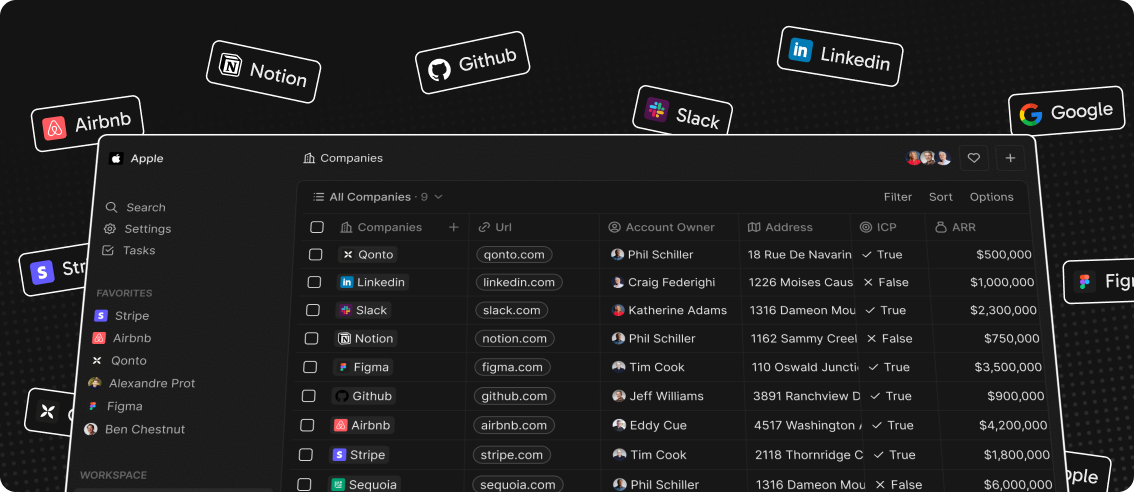
- Add, filter, sort, edit, and track customers
- Create one or several opportunities for each company
- See rich notes tasks displayed in a timeline
- Create tasks on records
- Navigate quickly through the app using keyboard shortcuts and search
Add, filter, sort, edit, and track customers:

Create one or several opportunities for each company:

Track deals effortlessly with the email integration:

Tailor your data model to meet business needs:

See rich notes displayed in a timeline:

Create tasks on records

Navigate quickly through the app using keyboard shortcuts and search:

Connect your CRM to all your tools through our APIs and Webhooks.

Stack
- TypeScript
- Nx
- NestJS, with BullMQ, PostgreSQL, Redis
- React, with Recoil, Emotion and Lingui
Thanks




Thanks to these amazing services that we use and recommend for UI testing (Chromatic), code review (Greptile), catching bugs (Sentry) and translating (Crowdin).
Join the Community
- Star the repo
- Subscribe to releases (watch -> custom -> releases)
- Follow us on Twitter or LinkedIn
- Join our Discord
- Improve translations on Crowdin
- Contributions are, of course, most welcome!