 Raphaël Bosi
4d352cb4e4
Raphaël Bosi
4d352cb4e4
# Keyboard Navigation and Shortcuts Implementation on the board

This PR implements keyboard navigation and shortcuts for the Record
Board component, enabling users to navigate and interact with board
cards using keyboard inputs.

## Key changes

### Navigation Architecture
- Added `useBoardCardNavigation` hook for directional navigation (arrow
keys)
- Implemented scroll behavior to automatically focus visible cards
- Created card focus/active states with component-level management

### State Management
- Added new component states: `focusedBoardCardIndexesComponentState`,
`activeBoardCardIndexesComponentState`,
`isBoardCardActiveComponentFamilyState`
- Extended index tracking with column/row position indicators
- Create hooks to manage these states

### Hotkey Implementation
- Created new `RecordBoardHotkeyEffect` component for hotkey handling
- Added `BoardHotkeyScope`
- Implemented Escape key handling to clear selections
- Replaced table-specific `TableHotkeyScope` with more generic
`RecordIndexHotkeyScope`. This is because, before, the hotkey scope was
always set to Table inside the page change effect, and we used the table
hotkey scope for board shortcuts, which doesn't make a lot of sense.
Since we don't know upon navigation on which type of view we are
navigating, I introduced this generic hotkey scope which can be used on
the table and on the board.

### Page Navigation Integration
- Modified `PageChangeEffect` to handle both table and board view types
- Added cleanup for board state upon navigating away from record pages

### Component Updates
- Updated `RecordBoardColumn` to track indexes for position-based
navigation
- Added `RecordBoardScrollToFocusedCardEffect` for auto-scrolling to
focused cards
- Added `RecordBoardDeactivateBoardCardEffect` for cleanup

This implementation maintains feature parity with table row navigation
while accounting for the 2D navigation needs of the board view.

## New behaviors

### Arrow keys navigation


https://github.com/user-attachments/assets/929ee00d-2f82-43b9-8cde-f7bc8818052f


### Record selection with X


https://github.com/user-attachments/assets/0b534c4d-2865-43ac-8ba3-09cb8c121f06


### Command + Enter opens the record


https://github.com/user-attachments/assets/0df01d1c-0437-4444-beb1-ce74bcfb91a4


### Escape unselect the records and unfocus the card


https://github.com/user-attachments/assets/e2bb176b-b6f7-49ca-9549-803eb31bfc23

The #1 Open-Source CRM
🌐 Website · 📚 Documentation ·  Roadmap ·
  Discord ·
  Figma
Figma
Installation
See:
🚀 Self-hosting
🖥️ Local Setup
Does the world need another CRM?
We built Twenty for three reasons:
CRMs are too expensive, and users are trapped. Companies use locked-in customer data to hike prices. It shouldn't be that way.
A fresh start is required to build a better experience. We can learn from past mistakes and craft a cohesive experience inspired by new UX patterns from tools like Notion, Airtable or Linear.
We believe in Open-source and community. Hundreds of developers are already building Twenty together. Once we have plugin capabilities, a whole ecosystem will grow around it.
What You Can Do With Twenty
We're currently developing Twenty's beta version.
Please feel free to flag any specific needs you have by creating an issue.
Below are a few features we have implemented to date:
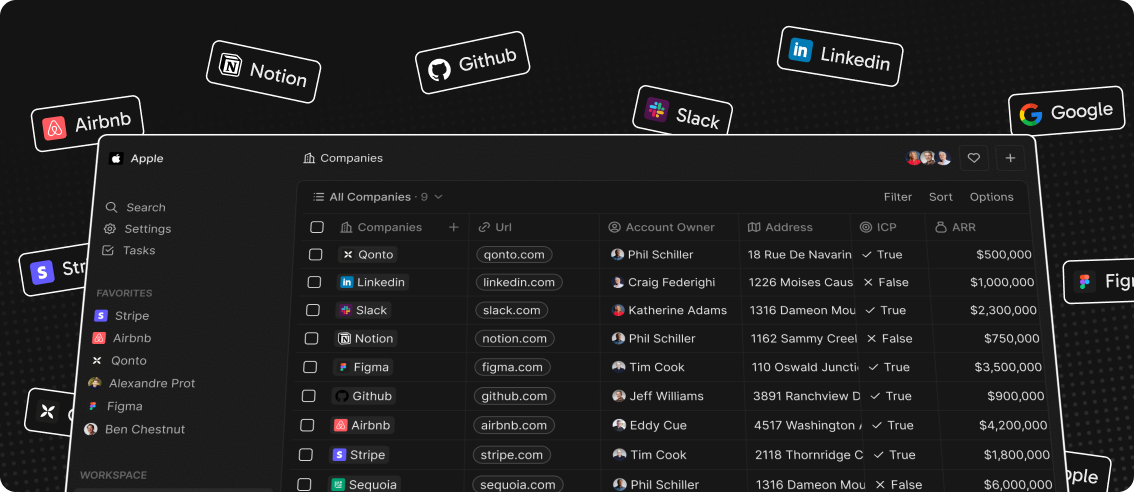
- Add, filter, sort, edit, and track customers
- Create one or several opportunities for each company
- See rich notes tasks displayed in a timeline
- Create tasks on records
- Navigate quickly through the app using keyboard shortcuts and search
Add, filter, sort, edit, and track customers:

Create one or several opportunities for each company:

Track deals effortlessly with the email integration:

Tailor your data model to meet business needs:

See rich notes displayed in a timeline:

Create tasks on records

Navigate quickly through the app using keyboard shortcuts and search:

Connect your CRM to all your tools through our APIs and Webhooks.

Stack
- TypeScript
- Nx
- NestJS, with BullMQ, PostgreSQL, Redis
- React, with Recoil, Emotion and Lingui
Thanks




Thanks to these amazing services that we use and recommend for UI testing (Chromatic), code review (Greptile), catching bugs (Sentry) and translating (Crowdin).
Join the Community
- Star the repo
- Subscribe to releases (watch -> custom -> releases)
- Follow us on Twitter or LinkedIn
- Join our Discord
- Improve translations on Crowdin
- Contributions are, of course, most welcome!