 Lucas Bordeau
860dec3428
Lucas Bordeau
860dec3428
- Removed disableBlur property from dropdown because it is no longer
needed since there's only one OverlayContainer component so there can be
only one blur at a time.
- Removed blur CSS properties from every component that used it because
one standalone OverlayContainer is able to handle all cases if placed
properly.
- Also removed disableBackgroundBlur property from SingleRecordSelect
- Removed FieldInputOverlay and FieldTextAreaOverlay components that
were a first attempt to create something like an OverlayContainer
- Used new unified OverlayContainer in RecordInlineCell and
RecordTableCell
- Fixed ScrollWrapper so that it works well both for dropdown with non
overflowing content and dropdown with overflowing content.
- Removed export default value on SearchVariablesDropdown as it is not
used in this codebase
- Refactored SearchVariablesDropdown function as component anti-pattern
- Refactored SearchVariablesDropdownFieldItems UI problems with
separator and missing ScrollWrapper behavior
- Refactored SearchVariablesDropdownObjectItems with UI problems with
separator and missing ScrollWrapper behavior
- Fixed blur bug on Firefox due to wrong placement of the element that
had the CSS property. Blur works on Firefox it it's on the container
that has the highest level in the tree.
- Fixed bug in ActivityTargetInlineCell by removing an unnecessary
container component StyledSelectContainer
- Unified problems of field height with a new common component
FieldInputContainer, instead of putting width and height at the wrong
abstraction level, width and height are a field's concern not a
dropdown, overlay or low-level input concern.
- Fixed block editor dropdown with new OverlayContainer
- Aligning field dropdown with their anchor on inline and table cells,
there are still many small pixel misalignments that give a low quality
impression.
- Fixed FormDateFieldInput that was missing OverlayContainer

The #1 Open-Source CRM
Tailored to your unique business needs
🌐 Website · 📚 Documentation ·  Discord ·
  Figma
Figma
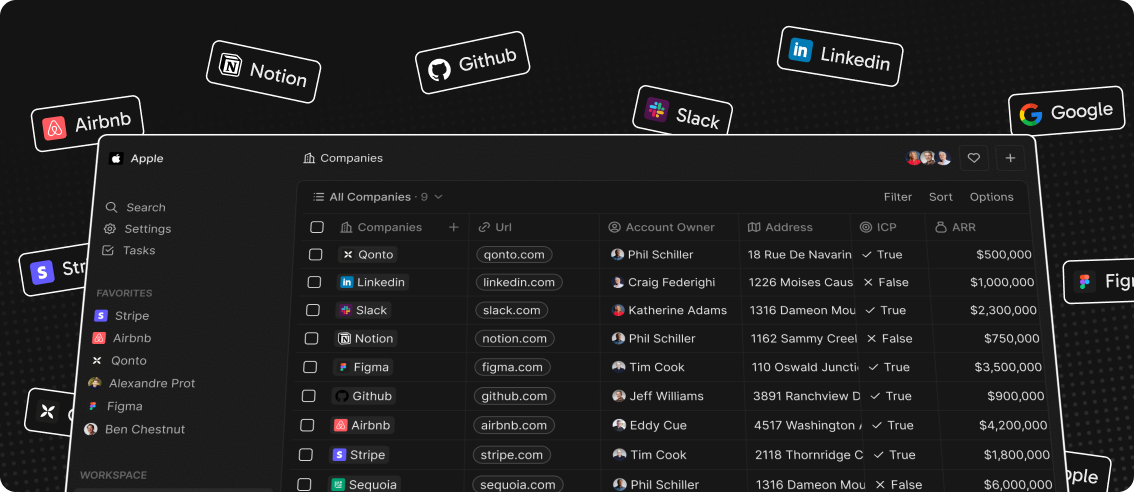
We’ve spent thousands of hours grappling with traditional CRMs like Pipedrive and Salesforce to align them with our business needs, only to end up frustrated — customizations are complex and the closed ecosystems of these platforms can feel restrictive.
We felt the need for a CRM platform that empowers rather than constrains. We believe the next great CRM will come from the open-source community. We’ve packed Twenty with powerful features to give you full control and help you run your business efficiently.
Demo
Go to demo.twenty.com and login with the following credentials:
email: tim@apple.dev
password: Applecar2025
See also:
🚀 Self-hosting
🖥️ Local Setup
Why Choose Twenty?
We understand that the CRM landscape is vast. So why should you choose us?
⛓️ Full control, Full Freedom: Contribute, self-host, fork. Break free from vendor lock-in and join us in shaping the open future of CRM.
📊 Data, Your Way: The days when the role of CRM platforms was to shift manual data entries to a database are over. Now, the data is already there. CRM 2.0 should be built around your data, allowing you to access and visualize any existing sources, not forcing you to retrofit your data into predefined objects on a remote cloud.
🎨 Effortlessly Intuitive: We set out to create something that we ourselves would always enjoy using. The main application draws inspiration from Notion, a tool known for its user-friendly interface and customization capabilities.
What You Can Do With Twenty
We're currently in the development phase of Twenty's alpha version.
Please feel free to flag any specific needs you have by creating an issue.
Below are some features we have implemented to date:
- Add, filter, sort, edit, and track customers
- Create one or several opportunities for each company
- See rich notes tasks displayed in a timeline
- Create tasks on records
- Navigate quickly through the app using keyboard shortcuts and search
Add, filter, sort, edit, and track customers:

Create one or several opportunities for each company:

Track deals effortlessly with the email integration:

Tailor your data model to meet business needs:
See rich notes displayed in a timeline:
Create tasks on records

Navigate quickly through the app using keyboard shortcuts and search:

Connect your CRM to all your tools through our APIs and Webhooks.
What's In Store
Here’s what you can look forward to:
⏳ Frequent updates: We’re shipping fast! Expect regular updates and new features that enhance your experience.
🔗 Extensibility: We’re putting the power in your hands. Soon, you’ll have the tools to extend and customize Twenty with plugins and more.
Join the Community
- Star the repo
- Join discussions and track issues
- Follow us on Twitter or LinkedIn
- Join our Discord
- Contributions are, of course, most welcome!